)
)

)
The Appointment Tool is your personalised matchmaking and diary tool, designed to help you connect with the right buyers at the right time. Whether you're looking to generate leads, deepen relationships, or launch a new offering - this smart, easy-to-use platform puts efficiency at the heart of your Business Travel Show Europe experience.
ABOUT THE APPOINTMENT TOOL
WHAT YOU CAN DO WITH THE APPOINTMENT TOOL
BOOK ONE-TO-ONE EXHIBITOR MEETINGS
- Use advanced filters by sector, region, or category to connect with the right suppliers. Request meetings directly through your dashboard—and accept invites from exhibitors who match your profile
BUILD YOUR CUSTOM SCHEDULE
-
Bookmark sessions, block time for breaks, and organise your days around what matters most. Your personalised agenda updates in real time
HOW IT WORKS
28 April
Hosted buyers gain exclusive early access to the Appointment Tool and can begin booking 1:1 appointments with exhibitors.
11 May
Access opens for all attendees - including visitors, buyer pass holders, and exhibitor staff. Messaging and meeting requests can begin with both exhibitors and visitor buyers.
HOW TO GET STARTED
LOG IN TO THE TOOL
- Access the Appointment Tool via the link in your confirmation email. Use your personalised username and create a password
COMPLETE YOUR PROFILE
- Upload your photo, job role, and travel focus to attract relevant meeting requests from buyers.
FAQs
You should have received an email from Business Travel Show Europe (noreply@ntmllc.com) with a link to activate your account. Please check your junk folder and add this email address to your safe senders list.
If you still haven’t received this email, please raise a ticket with out customer service team, and we will resend.
Once you have activated your link, you will be redirected to the event platform, where you will be asked to create a new password. After that, you can use your username (the email address used when registering) and password to log in to the platform each time. Bookmark this website for easy access; https://app.businesstravelshoweurope.com/newfront.
Go to
https://app.businesstravelshoweurope.com/newfront enter your email address and follow the forgot password link. You will then receive an email to reset your password.
If you are the stand admin, once you have logged into the platform, please head to the Register Your Staff page, which you'll find within the EXHIBITOR ZONE drop-down. You will be redirected to the Visit Connect dashboard, where you can register your team members.
Important: You will be asked whether each staff member should be available for meetings. This helps you manage the number of meetings held at your stand. When making this decision, consider your stand size and how many meetings can take place simultaneously.
The number of complimentary exhibitor passes issued is based on contracted space (2 exhibitor badges per sqm).
If you would like to purchase additional badges, select Register Your Staff from the EXHIBITOR ZONE MENU. This will take you through to your Visit Connect dashboard. Select TEAM from the left-hand menu then click on the Actions button to order more badges.
Your profile contains the information submitted on your registration form. If you would like to change any information, please
raise a customer support ticket..
As an exhibitor you can request meetings with hosted buyers and buyers. Go to the ATTENDEE LIST to browse the full list or narrow down your search by using the filters on the left-hand side. Select the calendar icon next to the profile, select the time and enter a subject line and message before sending your request.
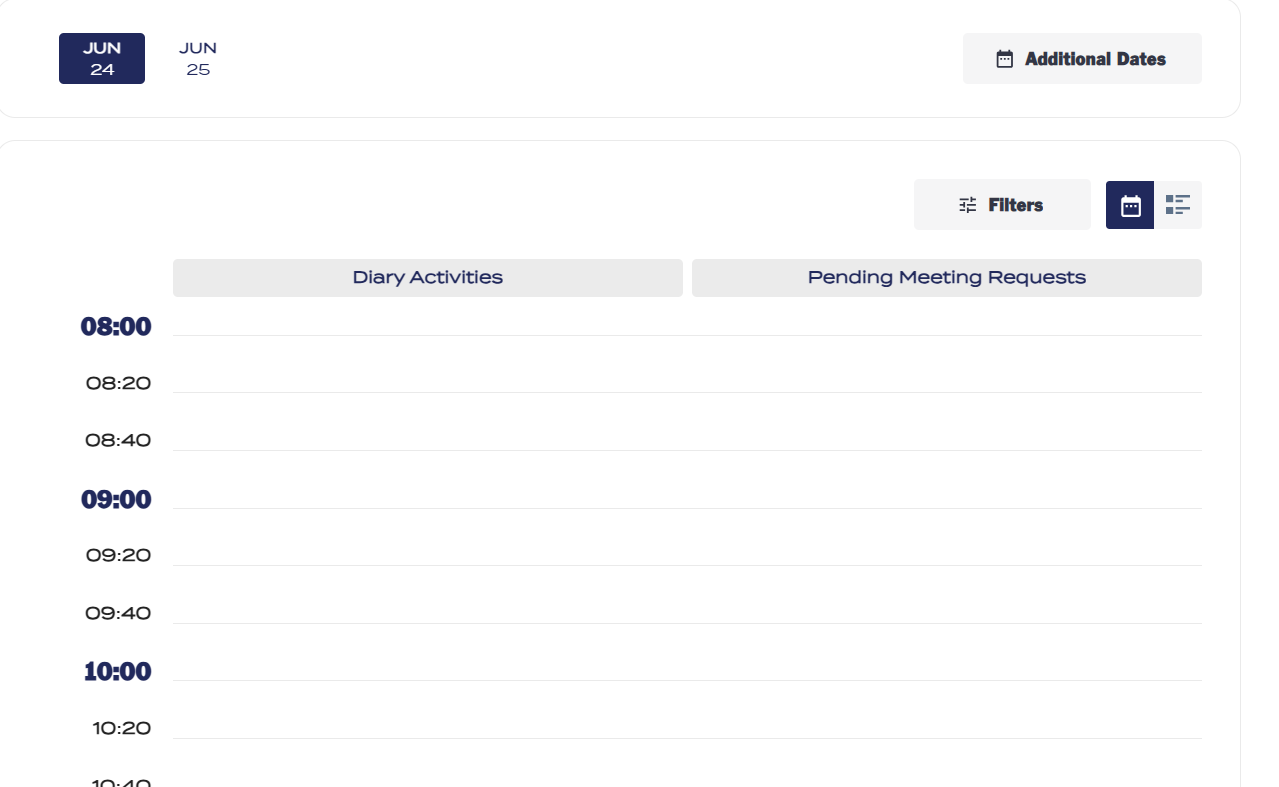
Your request will appear in your diary as “pending” until a buyer either accepts or declines the meeting.
As this is a buyer lead programme, requests from buyers are automatically accepted in your diary. Only buyers can cancel or reschedule meetings.
Any meeting requests you send will remain as pending until actioned by the buyer. Please note: pending meetings do not block out time in your diary, which means you can send multiple requests per time slot. The first person to accept the meeting will block the time, any buyer trying to respond to your invite will then be forced to reschedule the meeting before accepting.
Click on "MY SCHEDULE" from the top menu. You will be able to view the meetings in your diary. Select the meeting you wish to change, then select “RESCHEDULE”. You will then be able to select the new time and send the request. The exhibitor will be sent a notification of this change.
Yes, you can.
Click on "MY SCHEDULE" from the top menu. You will be able to view the meetings in your diary. Select the option “SYNC TO CALENDAR” at the top of the page; this will sync to Outlook or Gmail accounts. You only need to click on this once; any changes made to your diary will automatically be updated in your calendar every 6 hours.
Appointments are booked on a person-to-person basis. This means buyers select individual team members to meet with, not just your company. Make sure all exhibiting staff are registered in advance to ensure visibility.
Buyers can browse the exhibitor list to find companies they’re interested in meeting. To schedule a meeting, they’ll click the calendar icon next to the company profile. If they prefer to meet with a specific team member, they can select that person from the drop-down menu; otherwise, the system will assign the meeting to an available team member.
Buyers can also browse the attendee list and book meetings directly with a team member.
Yes - once access opens (11 May), you can message buyers directly within the platform.
The appointment tool allows your company admin to view your team's calendar and easily reassign meetings to the most relevant person.
Select TEAM SCHEDULE from the top menu, you will then be able to view all of the meetings associated to the stand account. Next to each meeting you will see the "reassign meeting" button, click on this, reset, then tick the person it should be reassigned to then SAVE.
If you have no team members registered, buyers will not be able to book meetings with your company, so it’s really important to register your staff as soon as possible, if you are the stand admin. For each team member you register, a profile will be created in the platform. When registering your staff, you can also enable or disable their availability for meetings as required. If you have team members registered and cannot see the meetings function within your profile, please log out and refresh your browser, and perform a hard refresh by pressing Ctrl + F5 if the issue persists.
Each meeting slot lasts 20 minutes, 15 minutes for the meeting itself and a 5-minute buffer to get to your next appointment.
If you are the stand admin, you can access the registration portal by clicking on the Register Your Staff page within the EXHIBITOR ZONE drop-down. You can view each staff member, go into their registration, change details such as job title, and enable/disable meetings for them.
Yes. The dashboard includes a detailed interaction log and real-time engagement metrics to help you prioritize follow-ups.
Scroll down to the bottom of your dashboard to view this information.
Yes, all scheduling features are available in both the web version and the mobile app.
The app will be available to download at the beginning of June.
You’ll find a one-click sync option in the schedule. You can also download your full schedule in Excel or PDF format.
Yes - leads from your confirmed meetings will be available to download post-show from your Exhibitor Zone. Your stand admin will also able to download the leads for your company as a whole.
There is a section on the app called “Meeting Ratings”. Once a meeting has taken place you will be able go into this section add a rating, add comments and mark as not attended.
All hosted buyers are required to complete a minimum number of meetings. If they fail to do this they will incur charges, so it’s important for you to let us know if you have a no-show.
This functionality is not available on the platform, as your stand admin is registered via our Connect Visit portal. Please
raise a ticket with our customer service team using the button below, and a member of our team will be able to sort this for you.
This functionality is not available on the platform, as your stand admin is registered via our Connect Visit portal. Please
raise a ticket with our customer service team using the button below, and a member of our team will be able to sort this for you.